


calimoto Motorcycle Navigation
4.21.04K Reviews
App Specs
- Version
- 2026.08.2
- Updated On
- License
- Free
- Downloads
- 1,000,000+
- Developer
- calimoto GmbH
- Categories
- Maps & Navigation
- Platform
- Android, iOS
Screenshots
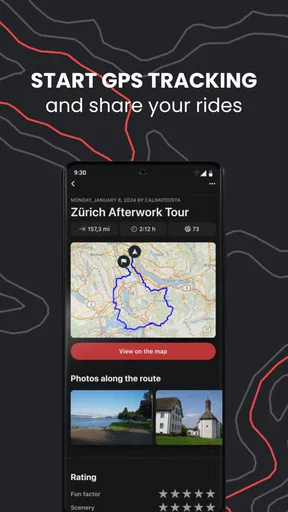
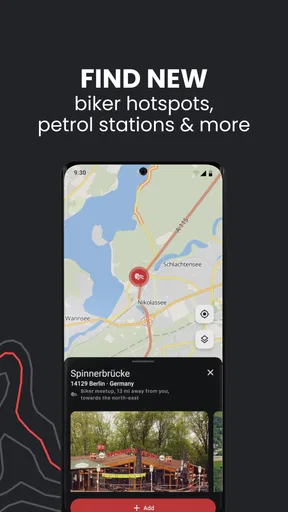
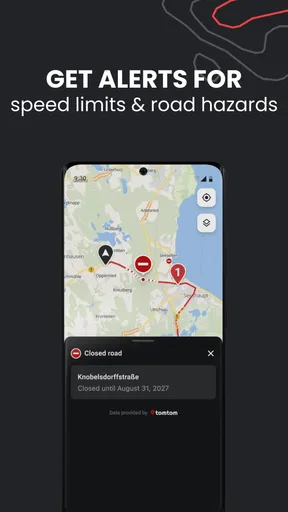
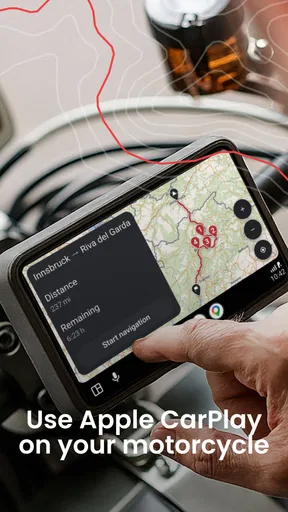
 Analysis by AppCompare
My usual starting point for a ride is a destination and a rough idea of how much time I have, not a carefully plotted route. That can leave me choosing between the fastest road and a winding detour without knowing which will make the trip more enjoyable. calimoto — Motorcycle GPS is aimed at riders who want the route itself to be part of the outing, rather than just a way to get from A to B.
Getting Started with calimoto
First off, downloading and setting up the app is a breeze. Available on both Android and iOS, you just head over to your app store, hit download, and you're good to go. Once installed, opening calimoto feels like stepping into a biker's paradise. The interface is sleek and intuitive, making it easy to navigate even if you're more comfortable on two wheels than you are with tech.
It is a free Maps & Navigation app from calimoto GmbH, and its focus on motorcyclists shapes the way I would use it: plan at home, check the ride before setting off, and let navigation take over once I am moving. The app has a 4.2 average from around 51,000 ratings, with more than a million installs. Its age rating is Everyone, and the current version is 2026.02.2. Optional in-app purchases range from $1.49 to $319.99 per item, so I would check what a particular paid option includes before relying on it for a trip.
Features That Stand Out
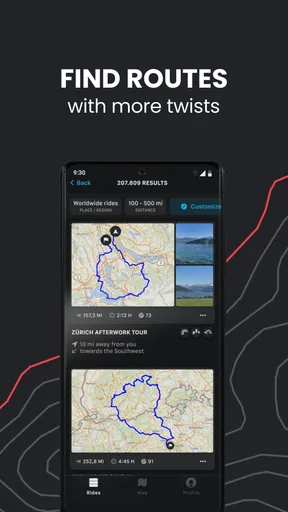
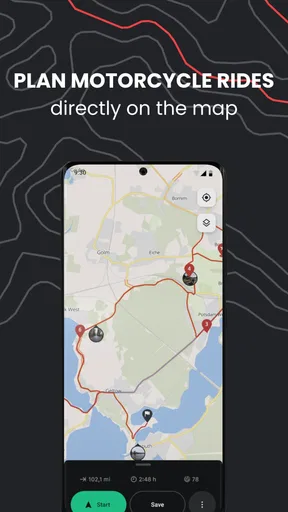
Okay, let's dive into the nitty-gritty. The app is packed with features that are tailor-made for motorcycle riders. The route planning is probably the star of the show here. You can choose from various routes based on your preferences—whether you’re in the mood for a scenic ride or a more thrilling adventure, calimoto has got you covered. It even calculates the twistiness of a route, which is a cool touch for those of us who live for those hairpin turns.
That twistiness information is useful as a planning aid, not a promise that every bend will be rewarding. I would look at the whole route before committing: a winding option may add time, and a road that looks tempting on a map can still be tiring if it means hours of concentrated riding. For a weekend loop, I’d use the route planner to shape the day around enjoyable stretches, then keep a simpler alternative in mind in case the weather, daylight, or my energy changes.
One of my favorite features is the ability to save and share routes. After you’ve mapped out the perfect ride, you can save it for later or share it with your riding buddies. It’s a fantastic way to keep track of your adventures and inspire others with your epic journeys.
Saving a route before the day of the ride also makes the handoff from planning to riding less stressful. I can review the route while parked, share it with someone joining me, and avoid trying to make decisions while wearing gloves at the roadside. If you are riding with a group, agree on the route and meeting points before leaving; route sharing helps with coordination, but it does not replace a clear plan for regrouping if riders become separated.
Worth Reading Before You Choose

Flipboard Shows What News Apps Must Do Beyond the Feed

Switching to Android Auto Means Rethinking Your Driving Routine

Google Calendar Makes a Crowded Week Easier to Manage

Ludo King Makes the Most of the Minutes Between Plans

Baby Panda World Brings Quick Play to Modern Phones, but Its Game Library Feels Busy

ESPN’s Live Game View Makes Following Close Games Easier
Real-Time Navigation and Offline Maps
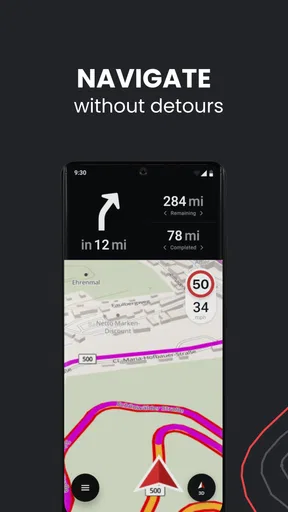
Once you're on the road, the real-time navigation kicks in, guiding you with clear and concise directions. I found the voice navigation particularly helpful—it’s loud enough to hear over the roar of the engine, but not intrusive. And let's not forget the offline maps, a lifesaver when you're riding through areas with spotty cell service.
Offline use is most valuable when treated as preparation rather than an emergency fix. I would make sure the map coverage needed for the planned ride is available before leaving a reliable connection, then check that the route is ready to use. A phone with a downloaded map can still run low on battery, so I would start with a full charge and use a secure mount or another safe way to keep the screen accessible. Navigation should support attention on the road, not compete with it.
If you’re the type who loves to explore new territories, the Curvy Roads feature is a must-try. It’s designed to take you off the beaten path, finding routes that are less direct but way more fun. Trust me, once you try it, you’ll never want to take a straight road again.
I would not use a curvy route automatically for every trip. On a commute, a time-sensitive appointment, or a ride with a passenger who prefers a smoother journey, a direct route may be the better choice. For an unhurried afternoon, the extra turns are the point. A practical approach is to decide first whether the day is about arriving or exploring, then choose the route style to match instead of letting the app make that decision for you.
Personalized Ride Experience
What sets calimoto apart is its focus on personalization. You can log your rides, track your mileage, and even monitor your riding stats over time. It’s like having a digital diary for your motorcycle adventures. Plus, the app learns from your preferences, offering route suggestions that align with your riding style.
Ride logs can be more than a record of distance: I would use them to remember which roads made a loop worth repeating and where I chose to stop. That gives route suggestions and saved trips more context over time. If tracking is not something you enjoy, though, it is easy to treat this as optional and focus on navigation. The app’s appeal is strongest for people who like reflecting on rides as well as completing them.
Additionally, the weather integration feature is super handy. It provides real-time weather updates, so you’ll know if you need to pack that rain gear or slap on some sunscreen. It’s these little touches that make the app feel like it was designed by bikers, for bikers.
Weather information is a prompt to reassess, not a substitute for judgment. Before setting off, I would check conditions for the route rather than only the starting point, and take another look when a long ride crosses different areas. If the forecast makes the planned back roads unpleasant or unsafe, the sensible choice is to shorten or change the ride, not to preserve the original plan just because it is already saved.
Community and Connectivity
calimoto is more than just a GPS app; it’s a community. You can connect with other riders, share tips, and even join group rides. It’s a great way to meet fellow enthusiasts and expand your riding network. The app also has a social feed where you can post photos and updates from your rides, making it easy to keep your friends in the loop.
For a rider who prefers a quiet, private navigation tool, social features may add little. I would use the community side selectively: other riders can offer ideas for future routes, while my own saved rides can stay useful without turning every trip into a post. When sharing, it is worth thinking about whether a route or photo reveals a regular starting point or routine.
Oh, and did I mention the integration with action cams? You can link your camera and capture those epic rides without missing a beat. It’s perfect for those who love to document their adventures and share them with the world.
How It Fits a Real Riding Day
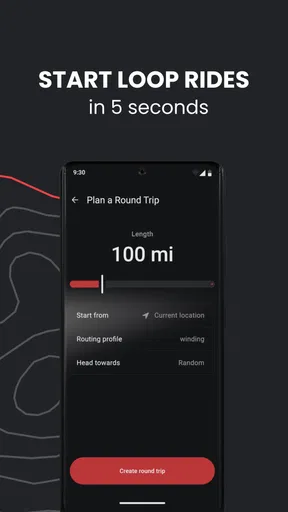
Imagine having a free morning, a full tank, and no fixed destination beyond getting out of town. I would sketch a loop in calimoto, use the curvy-road option to find a more engaging way through the area, and inspect the route before leaving. I would save it, check the weather, and prepare offline map access if the ride heads beyond dependable mobile coverage. Once underway, voice guidance can reduce the need to look down; at a safe stop, I can decide whether to continue or take a simpler way home.
That workflow is where a motorcycle-focused planner can feel different from a general-purpose map. A standard navigation app is often the more convenient choice when arrival time, live traffic, or a familiar address matters most. Calimoto makes more sense when choosing the road is part of the fun. I would not assume that a route optimized for bends is also the fastest, nor would I let a suggested detour override local signs, closures, or conditions.
Where the Ride Can Get Complicated
The main trade-off is that a richer route-planning experience asks for more decisions before you ride. If I only need directions to a nearby place, opening a general map and following the quickest option is less effort. Curvy roads can also increase travel time, and exploring unfamiliar roads calls for more attention than following a direct route. I would keep planning simple on a busy day and reserve detailed route-building for rides where I have time to enjoy it.
There is also a practical difference between having offline maps and being fully independent of a phone setup. A navigation app still depends on the device being usable for the whole ride, so battery management, mounting, and checking the route while stopped matter. Riders who dislike using a phone on the bike or already rely on a dedicated navigation unit may not gain enough to justify changing their routine. The minimum operating system is version 10, which is worth checking before installing on an older device.
For a first outing, I would choose a familiar area and a modest loop rather than letting a new route planner send me far from roads I know. That gives me a chance to see whether the route style suits me, whether voice directions are easy to follow with my helmet setup, and whether the ride log is something I actually want. A short test also makes it easier to adjust preferences before planning a full-day trip.
The Bottom Line
All in all, calimoto — Motorcycle GPS is a stellar app for anyone passionate about riding. It takes the stress out of planning and navigating, leaving you free to enjoy the ride. Whether you’re a casual rider or a hardcore biker, this app will enhance your experience tenfold. So, gear up, download calimoto, and let the adventures begin!
My recommendation is a little more specific: I would try it if you often ride for pleasure, enjoy shaping a route around bends, and want a place to save and revisit trips. It is less compelling if you mainly need the quickest urban directions or prefer not to plan routes in advance. The app is free to start, but because in-app purchases are available, I would check the options in the app before assuming a feature or trip workflow is included at no extra cost.
For riders who fall into its sweet spot, the best result is not simply reaching a destination. It is having a route chosen with the ride in mind, enough preparation to handle weak signal, and a record to help make the next outing better. Used that way, calimoto can be a useful companion; used as an unquestioned authority on every road, it is not a substitute for common sense and attention.
Pros
- Intuitive user interface for easy navigation.
- Offers scenic route suggestions.
- Offline maps available for remote areas.
- Real-time weather updates for planning.
- Customizable route planning features.
Cons
- Limited free features without subscription.
- Battery drain during extended use.
- Some map areas lack detail.
- Occasional GPS signal issues.
- In-app ads can be intrusive.
FAQs for calimoto Motorcycle Navigation
What are the key features of calimoto — Motorcycle GPS?
Calimoto offers features specifically designed for motorcycle enthusiasts, including route planning with winding road options, offline maps, and real-time weather updates. The app also provides GPS navigation tailored for bikers, a trip tracker, and a community for sharing rides. It’s perfect for both casual rides and long journeys.
Is calimoto available for free, or do I need to purchase a subscription?
Calimoto is available as a free app with limited features. However, for a more comprehensive experience, including premium maps and advanced planning tools, a subscription is required. The premium version offers enhanced route options and detailed map layers, making it a worthwhile investment for regular riders.
Can I use calimoto offline, and how does it handle map downloads?
Yes, calimoto supports offline map usage, which is ideal for areas with limited connectivity. Users can download maps for specific regions in advance, ensuring seamless navigation without relying on mobile data. This feature is particularly useful for long rides in remote areas.
How does calimoto enhance safety during rides?
Calimoto enhances safety through real-time weather updates and alerts, helping riders avoid hazardous conditions. The app’s detailed route planning can also prevent unexpected detours. Additionally, calimoto’s community feature allows users to share and discover safe and popular routes recommended by fellow motorcyclists.
How user-friendly is the calimoto interface for new users?
Calimoto boasts a user-friendly interface with intuitive navigation, making it easy for new users to plan and track routes. The app’s design focuses on simplicity without sacrificing functionality, ensuring that even those unfamiliar with GPS navigation can easily utilize its features. Tutorials and customer support further assist in easing the learning curve.


